Buy my art at ImageKind.com.
Showing posts with label Ghana. Show all posts

Wednesday, July 17, 2013

Tree-Hugging

I've been enjoying some beautiful evening walks in the sunshine recently, listening to the rustling of the leaves in the trees in the cool summer breeze, and I've had ample opportunity to appreciate the lush greenery. I love the way the trees change with the seasons, and they completely shape the mood of my walks.


Warsaw, Poland


Cambridge, England


Cambridge, England


Cambridge, England


Cambridge, England

This one looked to me like some kind of strange serpentine creature


Silver Falls, Oregon, US


Thunderbird Falls, AK, US


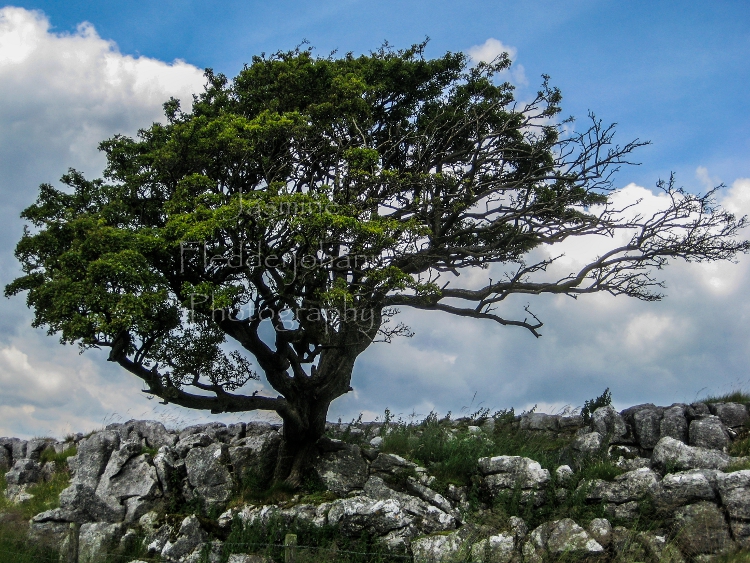
Malham, England


Volta Region, Ghana

This is the view from inside a tree--this kind of tree surrounds and draws nutrients from another tree, eventually killing the tree and resulting in this hollowed-out interior.


Cambridge, England


Cambridge, England


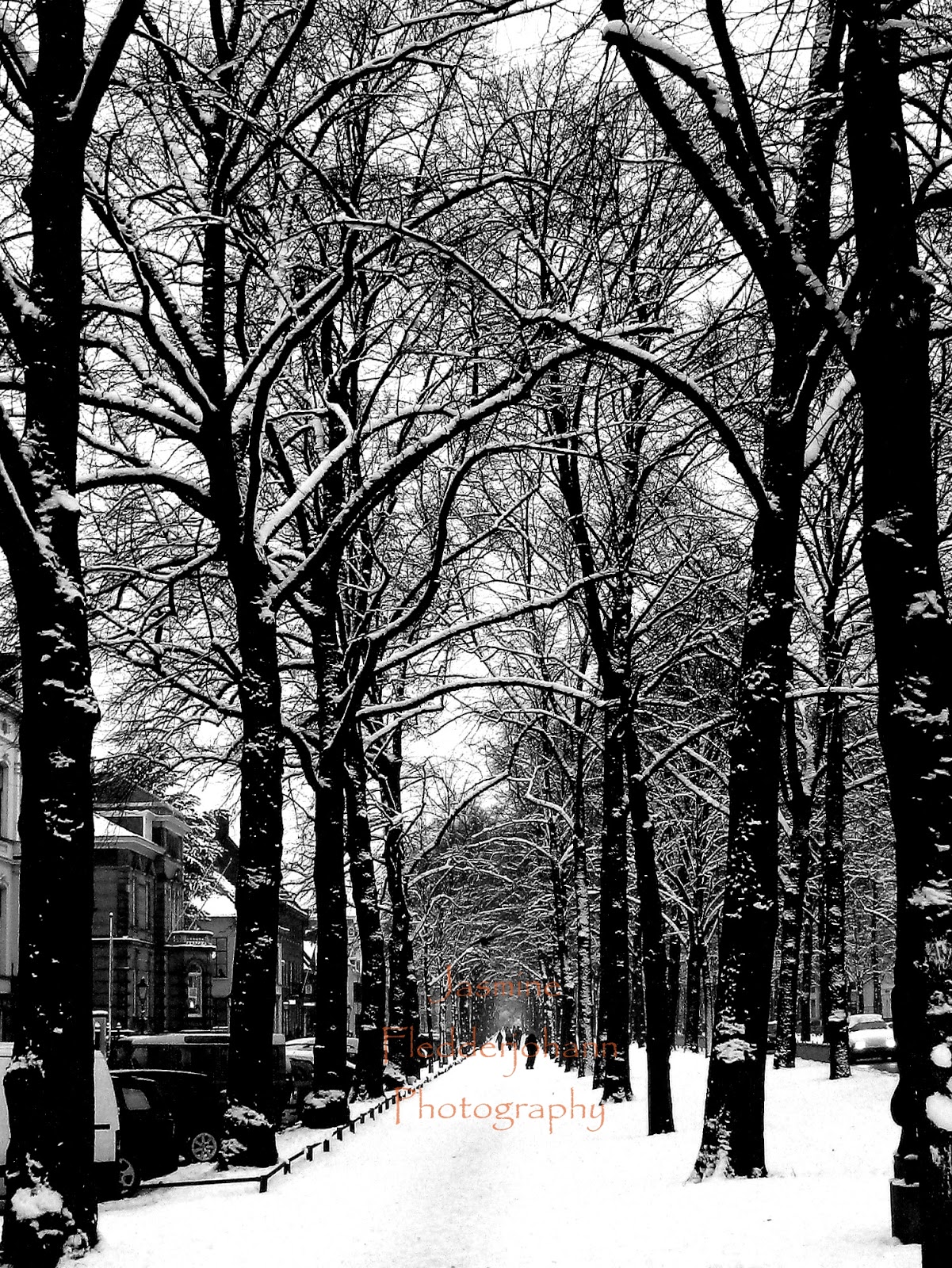
Utrecht, Netherlands


McHugh Creek Overlooking the Inlet, AK, US


So, what do you think? In the mood to go out and hug a tree yet?

Tuesday, July 2, 2013

Lovely Landscapes?

As I gather photos for the July edition of the Guardian's Been There photo competition, I find myself once again contemplating how to avoid cliched images and stand out from the heap of submissions the contest must receive--and standing out is particularly tricky, since the contest is open to professional photographers. They've recently revamped the submission policy, so it's now possible to see my competitors' submissions. The submissions range from lackluster to quite beautiful, and in scrolling through the images that have already been uploaded, I can see a few key commonalities among the images that stand out to me.

The first factor that draws my eye is light. Of course exposure matters, but I'm referring here more to the subject of the photo than to its technical merits. Particularly in photos featuring skyscapes, my eye is automatically drawn to photos which feature bursts of light--especially when the light highlights an interesting feature of the landscape or conveys motion, as in photos of clouds with sunbeams bursting through. The second factor is foreground vs. background--photos with some depth (often but not always those which follow the rule of thirds or incorporate leading lines) catch my eye more frequently; photos in which the foreground and background are indistinguishable seem flat and uninteresting to me for the most part. The final common element in the photos that appealed to me was the successful inclusion of objects of interest. A strategically placed person or object can draw your eye to an interesting part of the photo or create a sense of motion.

So, after thinking about these principles and scrolling through my own insanely large collection of photos, I've narrowed my options down to the following contenders. Which one would you pick? Do you have strong feelings one way or the other about any of these? I have until July 24th to pick my entry, and I'd love to get your thoughts. Remember, you can click on any photo in the blog to see it enlarged. Thanks in advance for the feedback! Oh, and for those who read my last post, I checked in with the judges and yes, panoramas are allowed.


Option 1: Kenai Peninsula, Alaska

Option 2: Cape Horn, Washington

Option 3: Eklutna Lake, Alaska


Option 4: Kenai Peninsula, Alaska


Option 5: View from Flattop, Alaska


Option 6: Florence, Italy


Option 7: Malham, England


Option 8: Volta Region, Ghana

Option 9: Stanley Lake, Idaho


Wednesday, June 20, 2012

It's That Time Again...

Once again, I'll be entering the Guardian's monthly travel photo competition and, once again, I'm having a hard time deciding which photo to enter. The theme this month is "Journey", and I have several travel photos that I think might fit the bill (below), but I can't decide which is most appropriate. As always, any thoughts/feedback are greatly appreciated!

Option 1: An old helicopter in the botanical gardens in Volta, Ghana.


Option 2: An airplane at the edge of the lake in Alaska.


Option 3: City directions from the Belfort in Bruges.


Option 4: On the boat ride to Ganvie stilt village in Benin.


Option 5: From the bus on a road through the Volta region in Ghana.

Wednesday, May 23, 2012

The Polls Are Open

The time has come, once again, for me to enter a photography competition. Of course, this means that the time has also come for me to be indecisive. So, dear friends, I ask you once again for your opinions. The polls are open. I would be very grateful for any thoughts you have on which photo you like best. The theme for the competition is water. Feedback is greatly appreciated!

Keukenhof in the Netherlands:


Wli Waterfall in Ghana. Note the person in the lower right corner of the image, next to the tree. The waterfall is about 60 meters high.


A building in the Ganvie Stilt Village in Benin, West Africa.


National World War II Memorial Water Fountain in Washington, D.C.


The Washington Monument.

Friday, March 2, 2012

Creating a Collage

As you know if you read my previous post, I've been invited to contribute a photo collage to a 2013 calendar focused on the subject of peace. Obviously this will be occupying most of my creative time for the next few weeks, especially since I've never used GIMP to create a photo collage. So, if you're wondering how it's done, here goes:

1. In GIMP, select File-->New to create a new file

2. Select Image-->Scale Image and set the dimensions for your collage. You can set the dimensions in pixels, inches, etc in the first drop down menu on the right (next to the boxes where you can enter the width/height. Note: the aspect ratio is locked by default. To change this so that it doesn't automatically adjust the width when you set the height (or vice versa), click on the box that looks like chain next to the boxes for entering the value for width and height. Click the "scale" button at the bottom when you are satisfied with the dimensions.

3. You're ready to add photos now! I'd recommend using photos that have already been adjusted for contrast, tone, etc as a starting point. So, how do you add photos? Well, you'll need to select File-->Open As Layers for each image you want to add.

4. If your photo isn't the size you want it to be (and most likely it's not), you'll need to adjust the size of the layer (NOT scale image, but scale layer). How? In the layers dockable dialog box. This is a little moveable toolbox that says "layers" at the top, and it should have one entry for each pictures you import, plus an entry for your background. The layers dialog box should open as a default in GIMP, but if it doesn't you can go to Windows-->Dockable Dialogs-->Layers.

5. In the layers dialog box, right click on the image you want to resize. From the menu that appears, select "scale layer". Now you can resize the image just as you normally would. You will need to do this for each photo that is not the right size.

6. Lastly, move everything around and fiddle with the background colors until you are happy with the appearance. That's it!


My photo collage is very much still a work in progress, but I figured I'd go ahead and share what I have so far. I'm still working on shooting/editing photos to add, and obviously I still have some work to do arranging the photos. I am the only photographer in the calendar, and since everyone else is painting or drawing, I've been using artistic filters to edit my photos to fit with the stylistic theme. I'd love some feedback if you have any initial reactions/suggestions :)


Tuesday, January 10, 2012

Some Healthy Competition

I recently posted about the importance of self-promotion for getting a little recognition for your work.  I then whined a bit about the advice to sell stock photography, which I have been following (albeit somewhat grudgingly).  One form of self-promotion I think gets less attention, however, is photography contests.  Now, I suspect that there are plenty of shady contests out there that are just fishing for information or photos.  However, there are plenty of reputable photography contests as well.  Of course, there's no guarantee that you'll win, or even get any recognition.  But, so long as I steer away from those which charge an entry fee and watermark my images, what's the harm, right?  And who knows?  Maybe I'll have a bit of luck and someone will really like my photos.  Plus, finding an image which epitomizes the sentiment of the contest or category forces you to think about your photos in a different way, and to get cracking on editing.  With that in mind, I've decided to enter an online contest.  There are a few categories I'm having trouble picking an image for, though.  I've shown the photos below, and I'd be very grateful for some feedback. I've listed the category name along with the photographs I'm considering below.  I can only enter one photograph into each category with the exception of the portfolio category, for which I get to pick three photographs.  Obviously I'm planning to do some watermark work before I submit.  Also, if you see anything in my gallery that I haven't considered but you think I should, please let me know.  Likewise, some of these images might fit into more than one category, so if you think an image would be for another category, I would appreciate the insight. 


The Wild World (nature)


On Location (urban, city, using surroundings to enhance image)


Still Life


Breaking the Mould (anything weird or wacky)


Portfolio (3 images)